
One UI
One UI 9 details confirmed in leaked Samsung One UI 8.5 version

Samsung has officially released the stable One UI 8 update to eligible devices. Now, too early we are getting a news of the next One UI 8.5 version. A huge leak of One UI 8.5 has appeared, revealing the core UI design of Samsung’s upcoming software.
One UI 8.5 redesigned stock apps
A user on X (formerly Twitter) named ThatDev shared a 6-minute video showing what looks like a Samsung phone running the new One UI 8.5 software. The video shows different parts of the phone’s interface, including the home screen, Settings, Device Care, Galaxy Themes, and Studio (Samsung’s built-in video editing app).
Most things look the same as before. The app icons, app drawer, search feature, widgets, and folders haven’t changed much. However, the app launcher version number went up from 17.0.x in One UI 8.0 to 17.5.x in the new version.
You can see “One UI 8.5” written in the phone’s software update screen. Samsung also changed how the software update section looks. Now it shows the current One UI version at the top, and the “Check for updates” button is at the bottom of the screen.
Currently, you had to navigate to Settings » Software update » Download and install to check for a new software update.
Galaxy Themes
The Galaxy Store has a new splash screen, which displays a large paint brush. The app has two sections: Gallery and My Stuff. And there are four tabs: Themes, Backgrounds, Wallpapers, and AODs.
Studio
Similar to the Phone app, One UI 8.5’s built-in video editing app, Studio, has a new style of navigation bar at the bottom. It is more compact compared to One UI 8.0 and offers more room to the actual content. It also has an additional tab: Stories. In One UI 8.0, there are just three tabs: Pictures, Albums, and Search.
Device Care
The Device Care section also appears to feature a massive UI design change. The bars that display things like memory, storage, and battery level are now much wider and display a percentage figure. Moreover, the emoji that displays the device condition in One UI 8.0 has been replaced by text in One UI 8.5.
One UI 9.0 Details Leaked
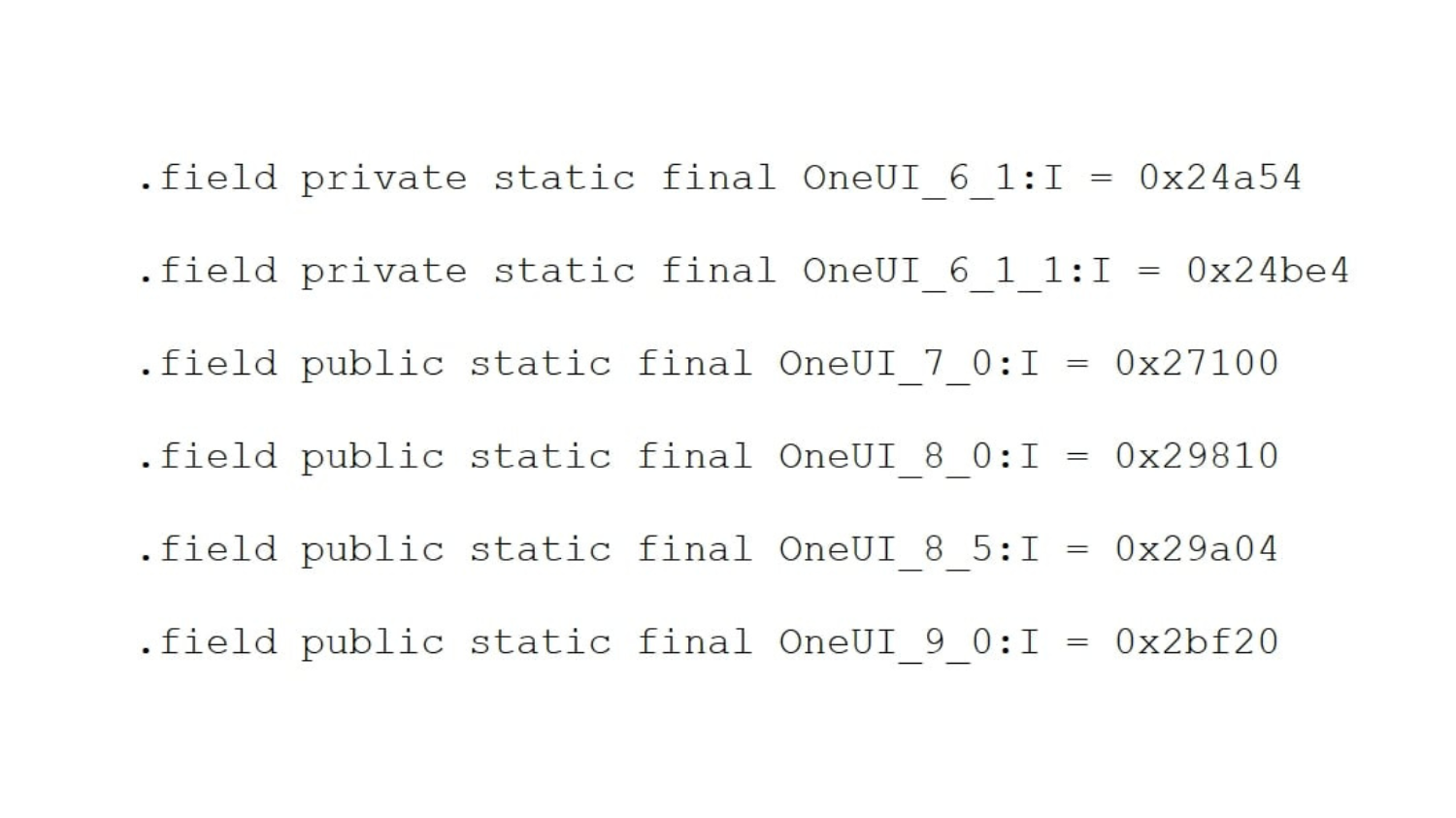
The next big update will be One UI 9.0. This was confirmed by code found in the leaked One UI 8.5 software that people have been sharing online this week. One UI 9.0 will be built on Android 17 and should have many more new features than One UI 8.5 and One UI 8.0.
One UI 9.0 will probably come out in about a year. But Samsung has been releasing new Android and One UI updates faster than before, so it might come out sooner than One UI 8.0 (which was released on September 15).
The company will likely put One UI 9.0 on its new Galaxy Z Fold and Galaxy Z Flip phones right from the start. Samsung’s first tri-fold phone (a phone that folds in three parts) is expected to launch worldwide next year and will probably have One UI 9.0 too. The Galaxy S26 phones will start with One UI 8.5 but will likely be the first phones to get the One UI 9.0 update later.



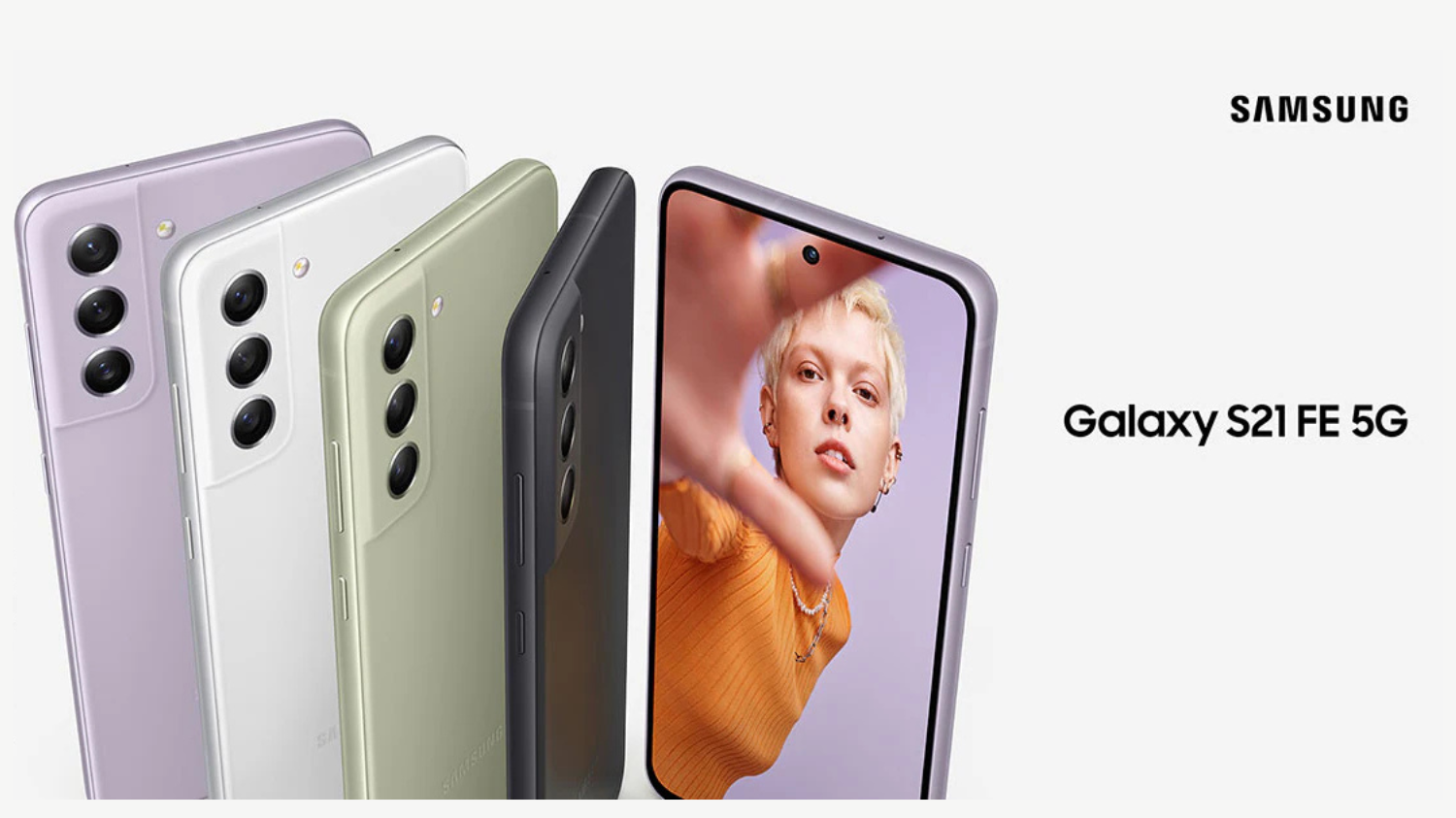
The owners of the Galaxy S21 FE USA variant are now receiving the One UI 8 update. Here in this article, we will check the latest software version and changelog.
Galaxy S21 FE gets Android 16 and One UI 8 in the USA
The carrier-locked version of the Galaxy S21 FE has started getting the Android 16-based One UI 8.0 update. It comes with firmware version G990USQUJIYJ2 or G990U2SQUHIYJ2, depending on the model number of the phone. The update is now available on AT&T, Cricket Wireless, Metro PCS, and T-Mobile networks.
The update is still not available for the factory unlocked version of the Galaxy S21 FE. If you have a carrier-locked Galaxy S21 FE in the USA, you should check for the new update right away.
You can check for the update by navigating to Settings > Software update > Download and install. After the update is downloaded, tap the Install now button to start the installation process.
One UI 8 brings several new and improved features to the Galaxy S21 FE. Some of them include a more secure version of Secure Folder, a redesigned Quick Share app, and a completely new codebase for DeX. It also brings more actions and conditions in Modes and Routines. The Weather app also has better visuals.
As per the specifications are concerned, the Galaxy S21 FE was launched in early 2022 with Android 12 (One UI 4.0) onboard. It received the Android 13 (One UI 5.0) update later that year and the Android 14 (One UI 6.0) update in late 2023. A few months ago, Samsung released the Android 15 update for the phone. Based on the company’s promise, Android 16 is the last major Android OS version the phone will run.
One UI 8.0 brings a new design to Samsung Internet, Quick Share, and Weather apps. It also brings more actions and conditions to the Modes And Routines app, more customizable Quick Panel, and more lock screen customization options.
One UI 8 redefines versatility with UX optimized across the Galaxy product portfolio. Designed to adapt to the unique form factors of Galaxy smartphones and tablets, One UI 8 ensures seamless functionality while boosting productivity and efficiency.
AI Results View displays results from AI features in a separate Split View or Floating View, keeping their original content visible and unobstructed.
Thanks to Galaxy AI Optimized for Large Screens, Multi Window lets users drag and drop AI-generated content — including images and text — directly into their workflow. Tools like Drawing Assist10 and Writing Assist11 unlock an even smoother creative process, as users can move ideas and visuals around more easily than ever before.
Gemini Live is now available directly on Flip’s FlexWindow for hands-free voice search, acting as a personal assistant right on the cover screen.
Audio Eraser proactively detects and removes unwanted background noise, like wind or traffic, with a single tap on a new toggle in video apps and audio apps.
Featuring a new clock design that stretches and adapts to match the user’s wallpaper. The clock’s font wraps around faces or contours, ensuring visibility without disrupting the image, whether it’s a close-up selfie or a picture of pets. Users can also customize the thickness, size and color of the font to meet their personal taste.
With advanced customization even for FlexWindow, users can easily create a wallpaper by receiving recommendations and auto-curated wallpapers from the Gallery.15 Emojis and background colors are also customizable for FlexWindow Emojis wallpaper.
Samsung already released One UI 8.0 for its eligible devices and so far several devices are a part of this amazing update. Now, the company has published details of November 2025 security patch for Galaxy devices a little earlier than usual.
Samsung November 2025 Security Patch Details
According to Samsung, the November 2025 security patch fixes 25 problems found in Android. Two of these are serious issues, and the other 23 are high-risk problems. One serious issue affects Android phones running Android 13 or newer, while the other only affects Android 16.
The company didn’t fix any minor security problems in this update. Samsung also fixed 9 security issues in its own Galaxy software. The update also repairs 11 security problems in Samsung’s Exynos chips, which are used in both phones and smartwatches. Most Exynos chips made between 2019 and 2024 may have had these issues.
Critical
CVE-2025-48593, CVE-2025-54957
High
CVE-2025-48581, CVE-2025-48525, CVE-2025-48583, CVE-2025-48588, CVE-2025-48589, CVE-2025-48594, CVE-2025-48596, CVE-2025-48597, CVE-2025-48592, CVE-2025-48590, CVE-2025-48603, CVE-2023-40130, CVE-2025-22432, CVE-2025-48575, CVE-2025-48595, CVE-2025-48598, CVE-2025-48599, CVE-2025-48612, CVE-2025-48600, CVE-2025-48604, CVE-2025-27074, CVE-2025-47370, CVE-2025-20730
Moderate
None
Already included in previous updates
None
Not applicable to Samsung devices
CVE-2025-48576, CVE-2025-27070
As of November 3, Samsung hasn’t started rolling out the November 2025 security update to any devices yet. However, it should begin soon. Keep in mind that only devices on Samsung’s monthly update schedule will get this patch.
To check for updates manually, head into your device’s Settings > Software update menu and tap Download and install.
One UI 8 also brings new features and a fresh look. The biggest addition is Gemini Live, an AI assistant that makes using your phone easier. You can point your camera at something and ask what it is, or share your screen to get help without closing your apps.
The update includes Wallpaper Recommendations, which picks the best photos from your Gallery to use as backgrounds. The Lock Screen now has new clock styles and fonts that automatically adjust around faces or objects in your photos. You can also control your Galaxy Buds from the Settings app without opening the Galaxy Wearable app.
To update your phone, open Settings, then go to Software Update, and tap Download and install. Make sure your phone is charged and connected to Wi-Fi before you start.
After updating, you’ll get the latest Android 16 with better performance, smarter AI features, and more ways to personalize your phone. This update also prepares your device for future updates, including One UI 8.5.
Samsung is now rolling out a new software update to the Galaxy M44, Galaxy A16 5G and Galaxy A53. The latest update brings One UI 8.0 (Android 16), which people have been waiting for a long time.
One UI 8 update build versions
- Galaxy M44: M446KKSU6EYJ3
- Galaxy A16 5G:A166USQU3CYIC (It is currently available on AT&T, Comcast, Cricket Wireless, DISH, MetroPCS, Spectrum Cellular, T-Mobile, and US Cellular networks in the country.)
- Galaxy A53:A536EXXUHGYI9
To get it, go to Settings > Software update > Download and install.
Galaxy M44 Specifications
Samsung Galaxy M44 is an upcoming mobile by Samsung. The phone is rumoured to come with a 120 Hz refresh rate 6.58-inch touchscreen display offering a resolution of 2408×1080 pixels (FHD+).Samsung Galaxy M44 come with 6GB of RAM. The Samsung Galaxy M44 is rumoured to run Android and is expected to be powered by a 5000mAh non-removable battery. The Samsung Galaxy M44 supports proprietary fast charging.
As far as the cameras are concerned, the Samsung Galaxy M44 is rumoured to pack a triple rear camera setup featuring a 50-megapixel primary camera; a 2-megapixel camera, and a 2-megapixel camera. It is rumoured to sport a single front camera setup for selfies, a 13-megapixel primary camera.
Samsung Galaxy M44 is based on Android and packs 128GB of inbuilt storage that can be expanded via microSD card (up to 1000GB). The Samsung Galaxy M44 is tipped to be a single SIMmobile. The Samsung Galaxy M44 is said to measure 167.70 x 78.00 x 9.10mm (height x width x thickness) and weighs 216.00 grams. It is said to launch in Black and White colours.
Connectivity options on the Samsung Galaxy M44 are said to include Wi-Fi 802.11 a/b/g/n/ac/ax, GPS, Bluetooth v5.20, and USB Type-C. Sensors on the phone are rumoured to include accelerometer, ambient light sensor, compass/ magnetometer, gyroscope, proximity sensor, and fingerprint sensor.
One UI 8 Features
Samsung in the latest One UI 8 version added a new Quick Share UI design with separate Send and Receive tabs, improved graphics in the Weather app, and an improved menu bar design for the Samsung Internet app. One UI 8 also brings better bulk management features to Calendar, Clock, and Reminder apps.
Secure Folder has received improved security, while Modes and Routines now has more actions and conditions. Samsung Health gets newer features like Antioxidant Index, Bedtime Guidance, Running Coach, and Vascular Load. Click here to read the complete changelog of the update.

Samsung outed Galaxy S26 series designs

Samsung Galaxy Tab A11+ Launched in India

Samsung Galaxy S23 FE November 2025 security patch update rolling out

8+ Samsung Keyboard Tips for enhanced Typing Experience

Samsung One UI 8 October 2025 Rollout Plan

History Of Samsung One UI
-
 Tutorials11 months ago
8+ Samsung Keyboard Tips for enhanced Typing Experience
-
 News9 months ago
Samsung One UI 8 October 2025 Rollout Plan
-
 One UI9 months ago
History Of Samsung One UI
-

 News10 months ago
Samsung One UI 8 Beta: Countries List
-

 Tutorials11 months ago
Having a Samsung Account Is Optional, But Recommended, check why?
-
 One UI12 months ago
One UI 8: Samsung biggest step in mobile experience
-
 News9 months ago
Samsung Galaxy S25 and S24 – October 2025 Update
-
 News10 months ago
Explore Music Wall Feature on Samsung Smart TV